AuraUI

AuraUI

Native client for Open WebUI

Your own Open WebUI server in a fast native app for iPhone, iPad and Mac: streaming chats, web search with sources, image generation, notes and voice. Free.

Coming soon to the App Store

Free on iPhone, iPad and Mac

Open WebUI, beautifully nativeOpen WebUI, beautifully native

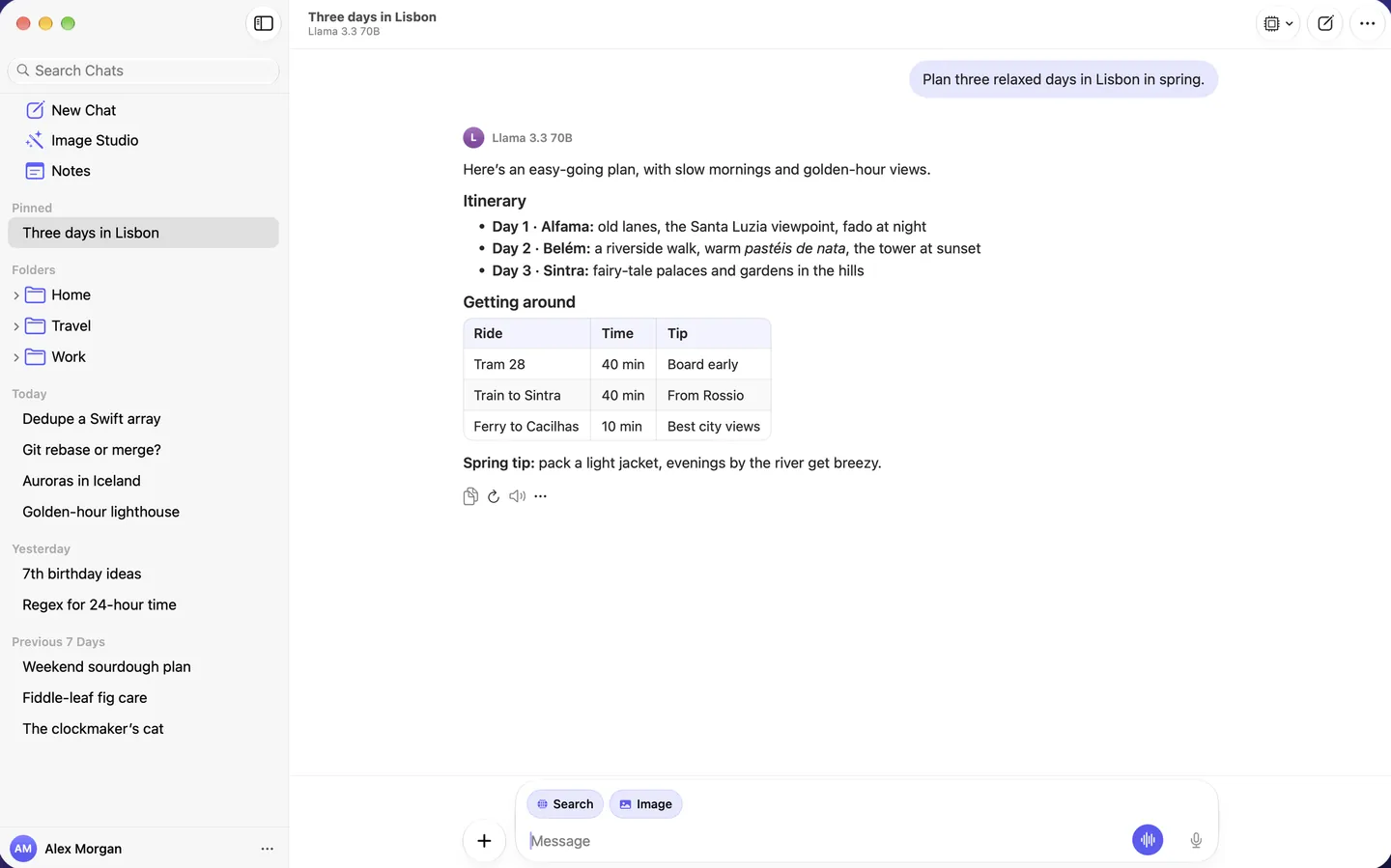
AuraUI brings your self-hosted Open WebUI server to iPhone, iPad and Mac, in a fast, beautiful native app. Sign in to your own server and chat with the models you already run, with the feel of a true Apple app.

YOU NEED YOUR OWN SERVER

AuraUI is a client. It connects to an Open WebUI server, version 0.12 or later, run by you or your organization, and you sign in with your account on that server. AuraUI does not include any AI model or service of its own.

New to Open WebUI? See how to install a server

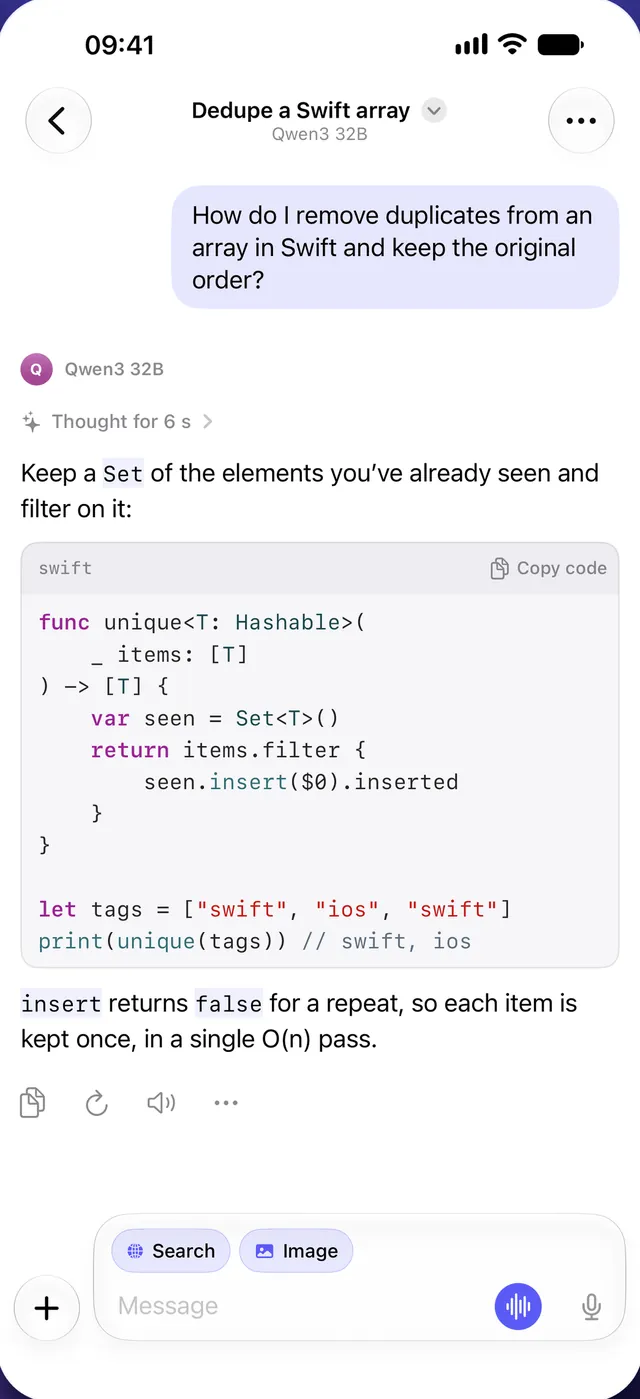
Code and reasoning, done right

CHAT, BEAUTIFULLY

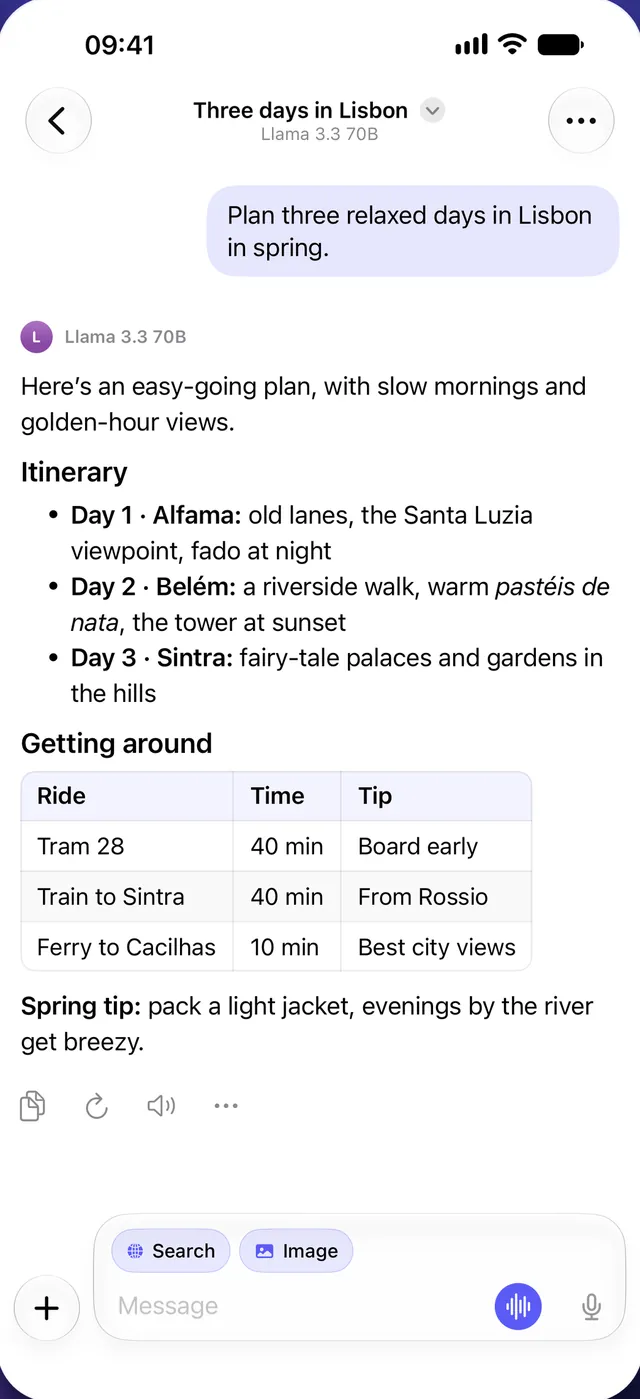
  • Answers stream in as they are written, with stop, regenerate, edit and branches
  • Rich Markdown: headings, lists, tables and code with syntax highlighting
  • The model’s reasoning in a collapsible block
  • Every model on your server, one tap away
  • Attach photos and files, or drag and drop them
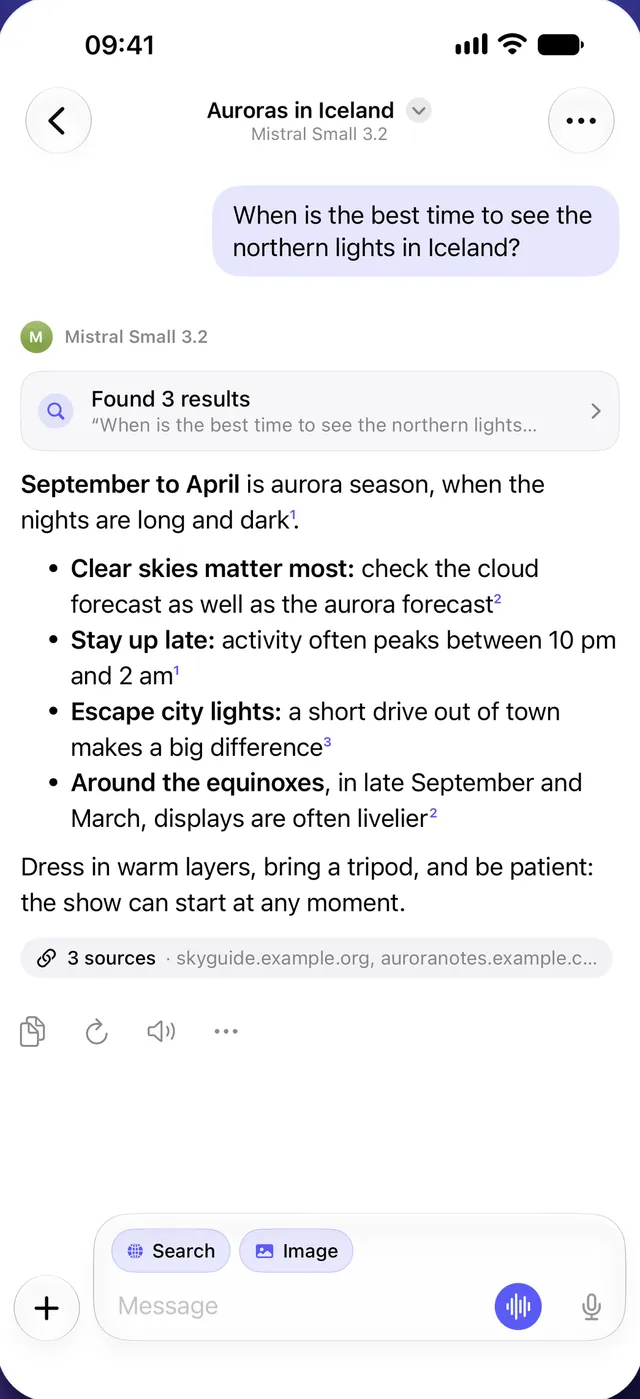
Search the web, see the sourcesImage Studio: create and edit

SEARCH AND CREATE

  • Web search, with numbered citations and the sources one tap away
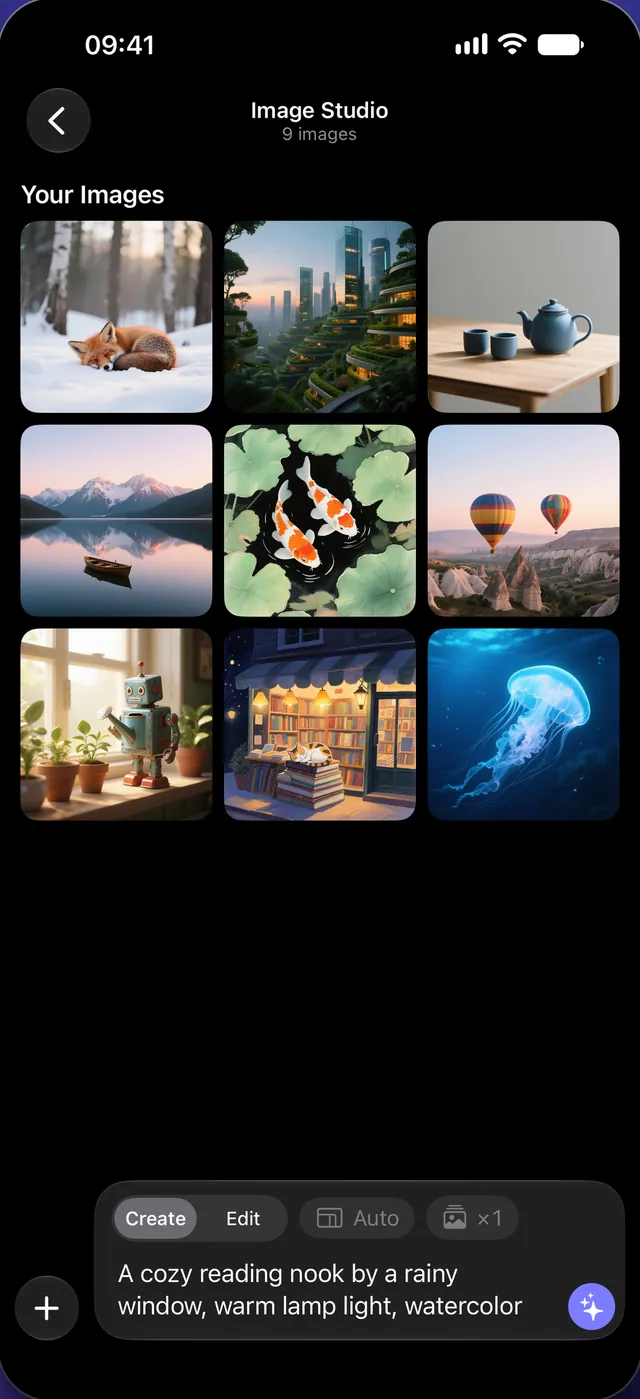
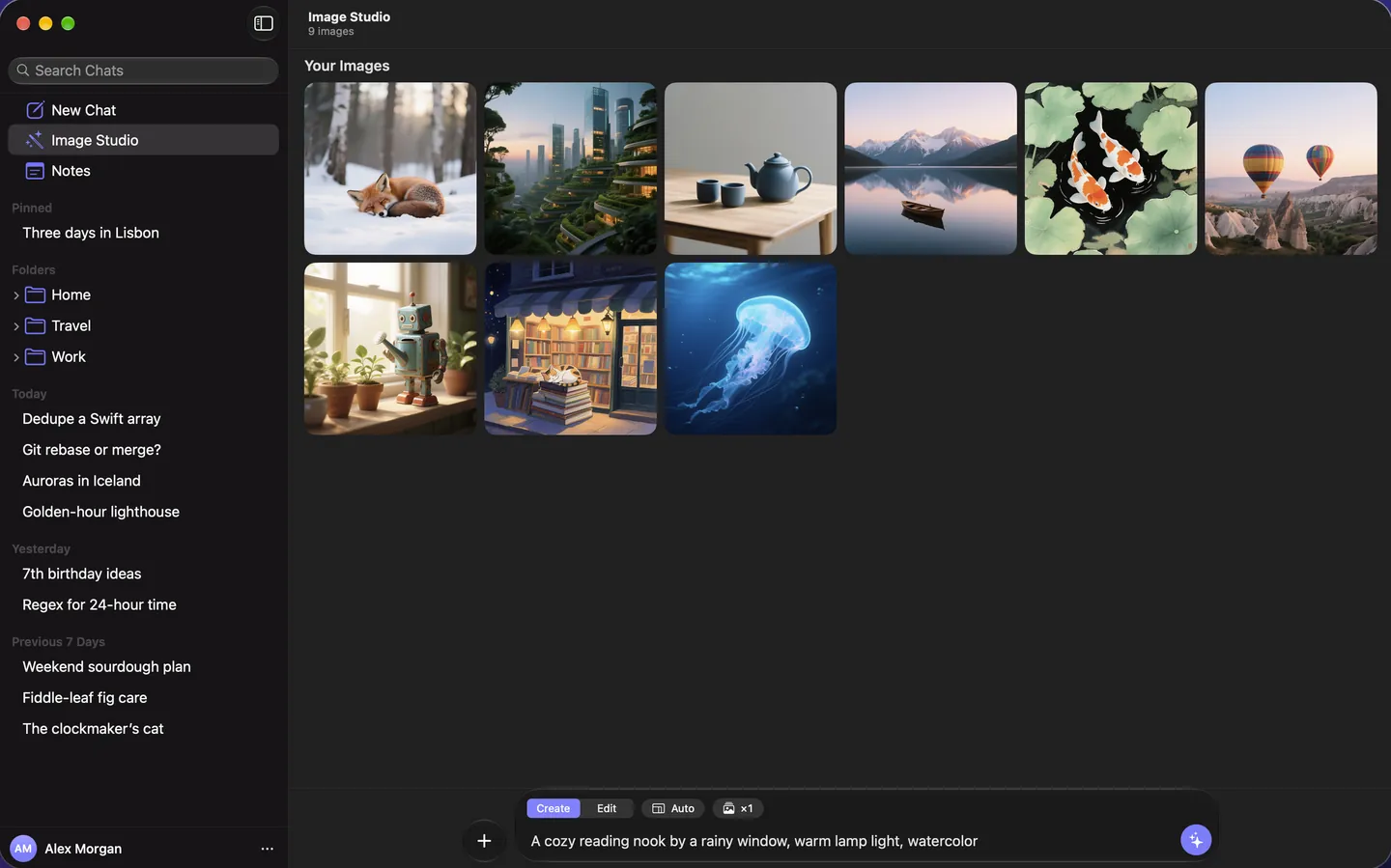
  • Create images right in the chat, or edit a photo by describing the change
  • Image Studio: your gallery of creations, to create, refine and edit images
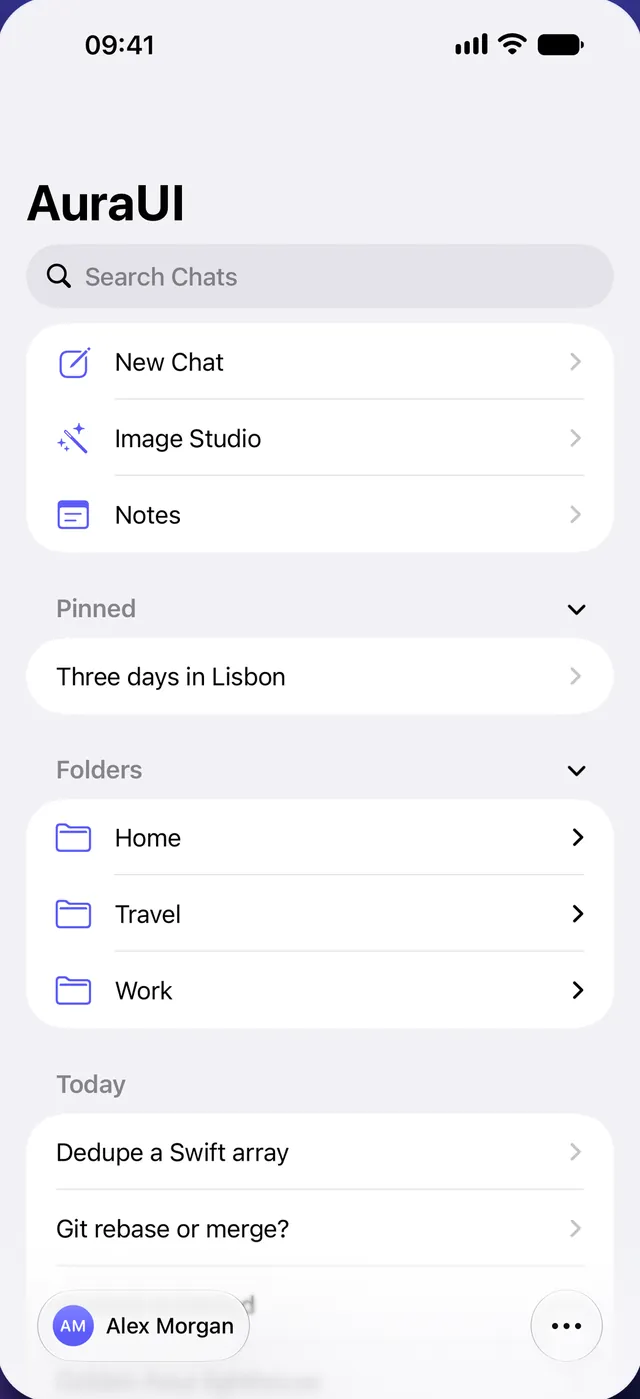
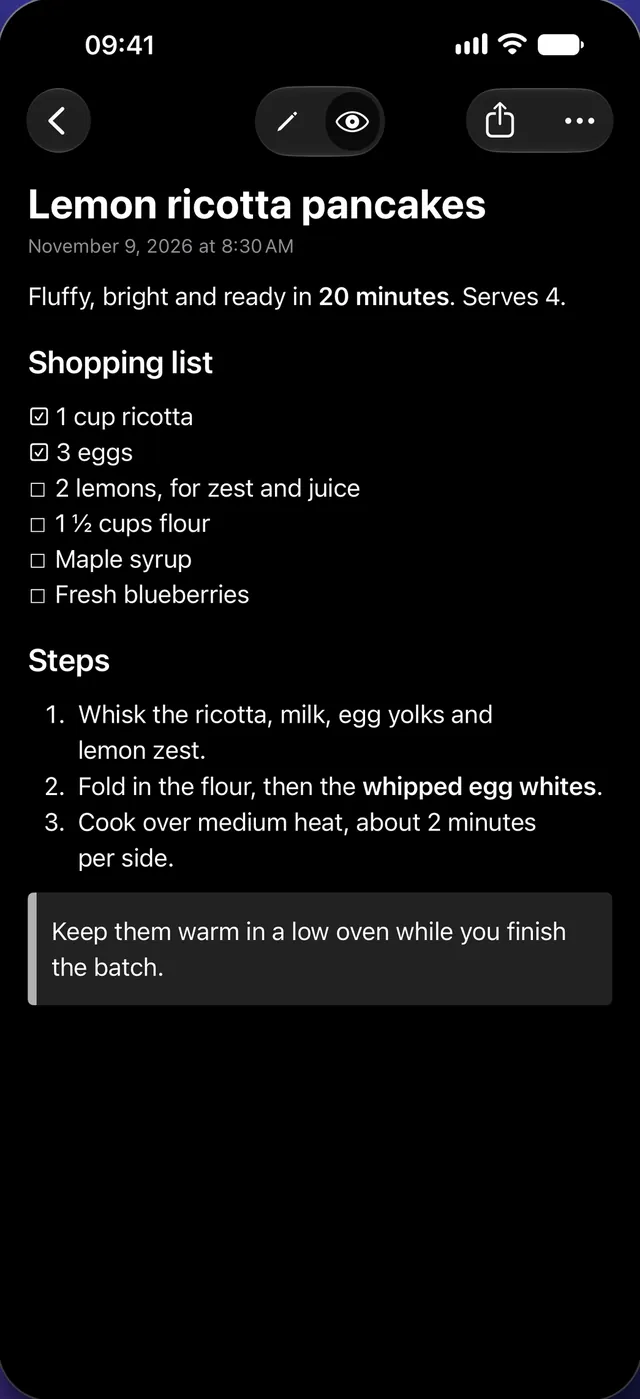
All your chats, organizedNotes that stay in sync

STAY ORGANIZED

  • Folders, pinned chats, archive and search
  • Notes with Markdown and checklists, saved on your server
  • Your history follows you on every device, because it lives on your server
Image Studio: create and edit

TRULY NATIVE

  • Built with SwiftUI for iOS, iPadOS and macOS 26, with Liquid Glass
  • A real Mac app, with menus, keyboard shortcuts and multiple windows
  • Available in 12 languages: English, French, German, Spanish, Italian, Portuguese (Brazil), Dutch, Swedish, Danish, Norwegian, Finnish and Polish

YOUR VOICE

  • Dictate your messages
  • Have answers read aloud

PRIVATE BY DESIGN

AuraUI talks only to your server. No account with us, no analytics, no tracking, no third-party services. Your sign-in stays in your device’s Keychain.

FREE

AuraUI is free, with no ads and no in-app purchases.

AuraUI

Free on iPhone, iPad and Mac

Coming soon to the App Store

Open WebUI is a trademark of its owners; AuraUI is an independent, free client, not affiliated with the Open WebUI project.

Support

AuraUI is a free, native app for your own Open WebUI server. Here are the answers to the most common questions.

Frequently asked questions

What do I need to use AuraUI?

An Open WebUI server, version 0.12 or later, that your iPhone, iPad or Mac can reach (on your home network, through a VPN, or on the internet), and an account on it. AuraUI does not include any AI model: it shows the models your server offers.

How do I sign in?

Enter your server's address (for example chat.example.com or 192.168.1.20:3000), then the email and password of your Open WebUI account. If you type the address without http:// or https://, AuraUI tries https first, then http. Two-factor verification is supported.

Is my data private?

Yes. AuraUI talks only to the Open WebUI server you sign in to: your chats, notes and files stay on that server. Your password is sent only to that server, to sign in, and AuraUI does not keep it; the session is kept in the Keychain on your device. There is no analytics, no advertising and no tracking. See the privacy policy.

Why is web search, image generation or voice missing?

Web search, image generation, and the server's speech-to-text and text-to-speech are features of your Open WebUI server. Its administrator turns them on in the Admin Panel (Settings, then Web Search, Images or Audio). When a feature is off on the server, it is not available in AuraUI. Dictation on your device and the system voices work without the server.

Can I use a server without HTTPS?

Yes, but with plain HTTP your password and messages travel unencrypted, and anyone on the same network can read them. AuraUI warns you before you sign in. Use HTTPS whenever you can, or keep plain HTTP to a network you trust, such as your home network or a VPN.

How do I get nicer voices for reading answers aloud?

Download Premium or Enhanced voices; they are free. On iPhone and iPad: Settings, Accessibility, Read & Speak, Voices. On Mac: System Settings, Accessibility, Read & Speak, System voice, Manage Voices. Then choose the voice in AuraUI's Voice settings.

Is AuraUI made by the Open WebUI team?

No. AuraUI is an independent app that works with Open WebUI servers. It is not affiliated with or endorsed by the Open WebUI project.

Contact

A question, a problem, an idea? Write to contact@skrobs.com. We read every message.